SMALL TOOLS. YOUR AI CONNECTION.
Your AI,
put to work.
A collection of useful little extensions, built around the AI connection you already have. Open source. Yours to make your own.
Free tools. One shared MacHelper connection.
THE COLLECTION
Find your next
small advantage.
Focused tools for everyday moments.
Choose one. Make it part of your flow.
The collection couldn’t load.
Check your connection and try again. You can also explore the project on GitHub.
No tools match just yet.
Try another search or clear your filters to see the collection.
A CLOSER LOOK / TRANSLATION
Understand the words.
Stay in the moment.
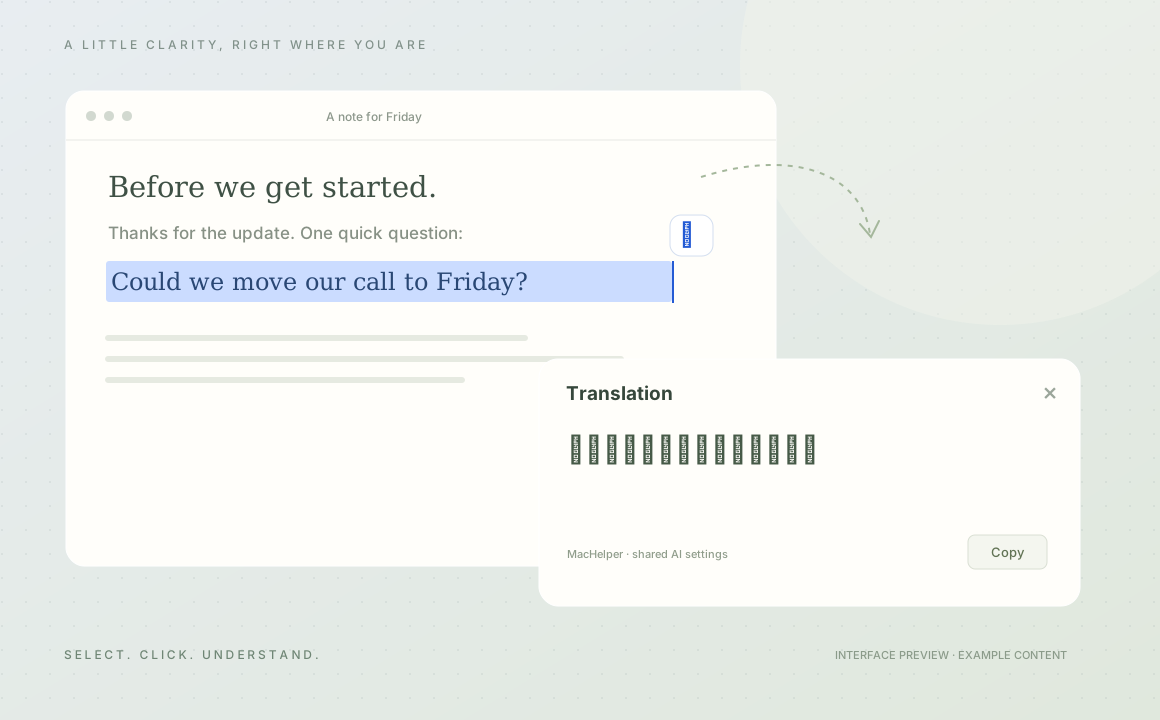
Select text in a supported Mac app, click the little icon, and read the translation right there. No trip to another chat window.
- Results appear as the provider generates them
- Editable JavaScript, prompts, and settings
- One provider and model, managed in MacHelper
THE SIMPLE PART
One connection.
A few good tools.
MacHelper is the small app that brings
your tools and AI connection together.
- 01
Set up MacHelper
Install the Mac app and choose a supported desktop or local AI service in its shared settings.
Get the app ↗ - 02
Choose your tools
Install an editable source tool, or add MessageHelper to Chrome or Edge for your Upwork workflow.
Browse the collection ↗ - 03
Make the moment easier
Click to translate, or review a polished draft. Text is sent to AI when you choose an action.
You stay in charge of sending.
 THE SHARED CONNECTION
Start with MacHelper.
A quiet home in your menu bar for AI settings and the tools you choose to enable.
Tools are free. Your AI provider’s availability and usage limits still apply. A local connection may use cloud models, depending on your provider.
BUILT TO BE OPENED
Have a better idea?
Make it a tool.
Translation ships as complete, editable source. Change the script or prompt, save, and that tool reloads while MacHelper stays running.
Read the developer guideextension.jsonIdentity & capabilitiesmain.jsMake it yours ↗prompts/translate.txtYour instructionssettings.schema.jsonSettings & defaults